ExtraEmily
How to manually allow Safari Notifications on Mac
Changed your mind about notifications? Here’s how to allow them on Mac in Safari.
1
Open Safari Settings
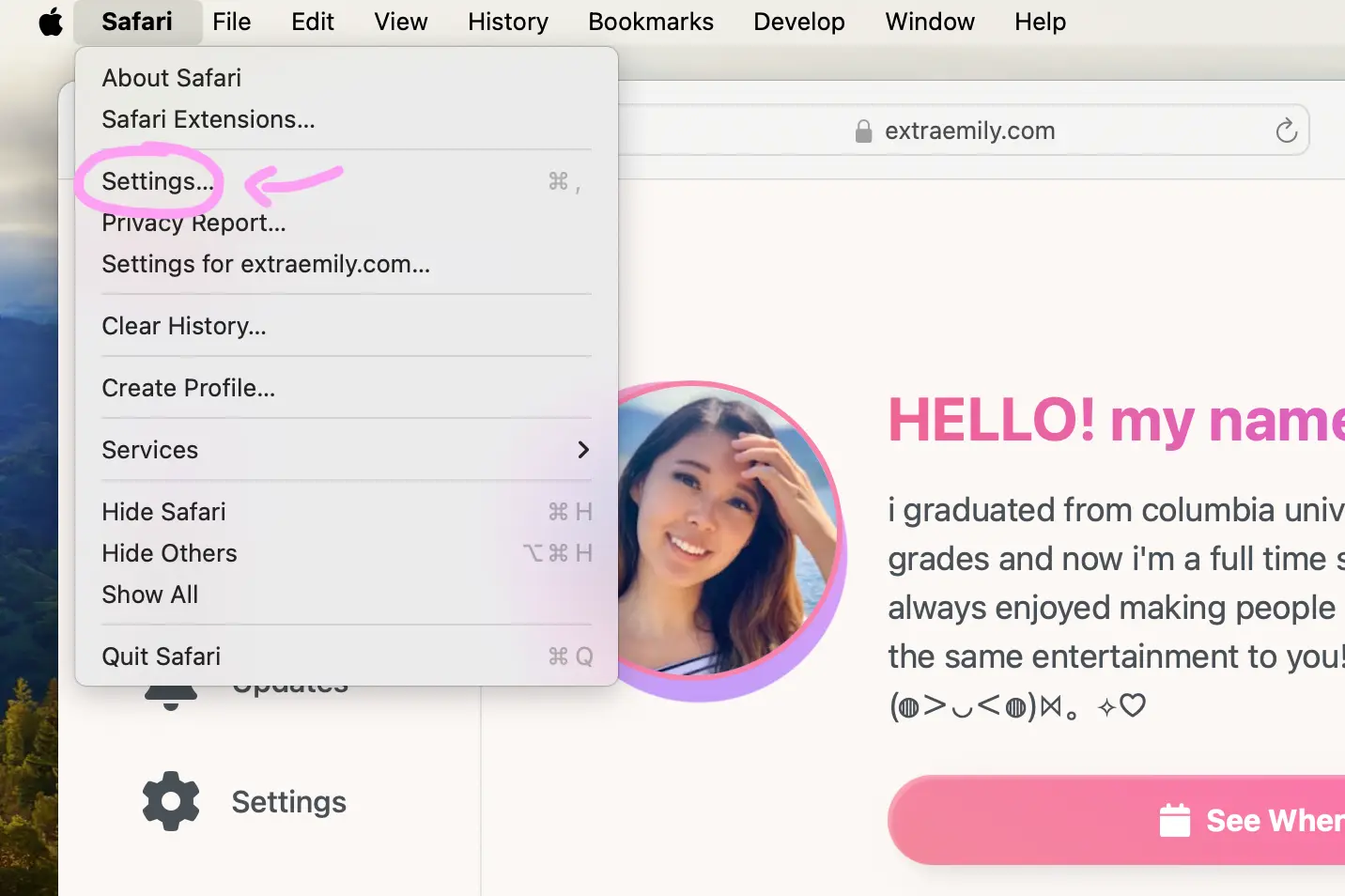
In Safari, go to Safari in the menu bar, then select Settings… (or Preferences… on older Mac versions).
2
Find Notifications Tab
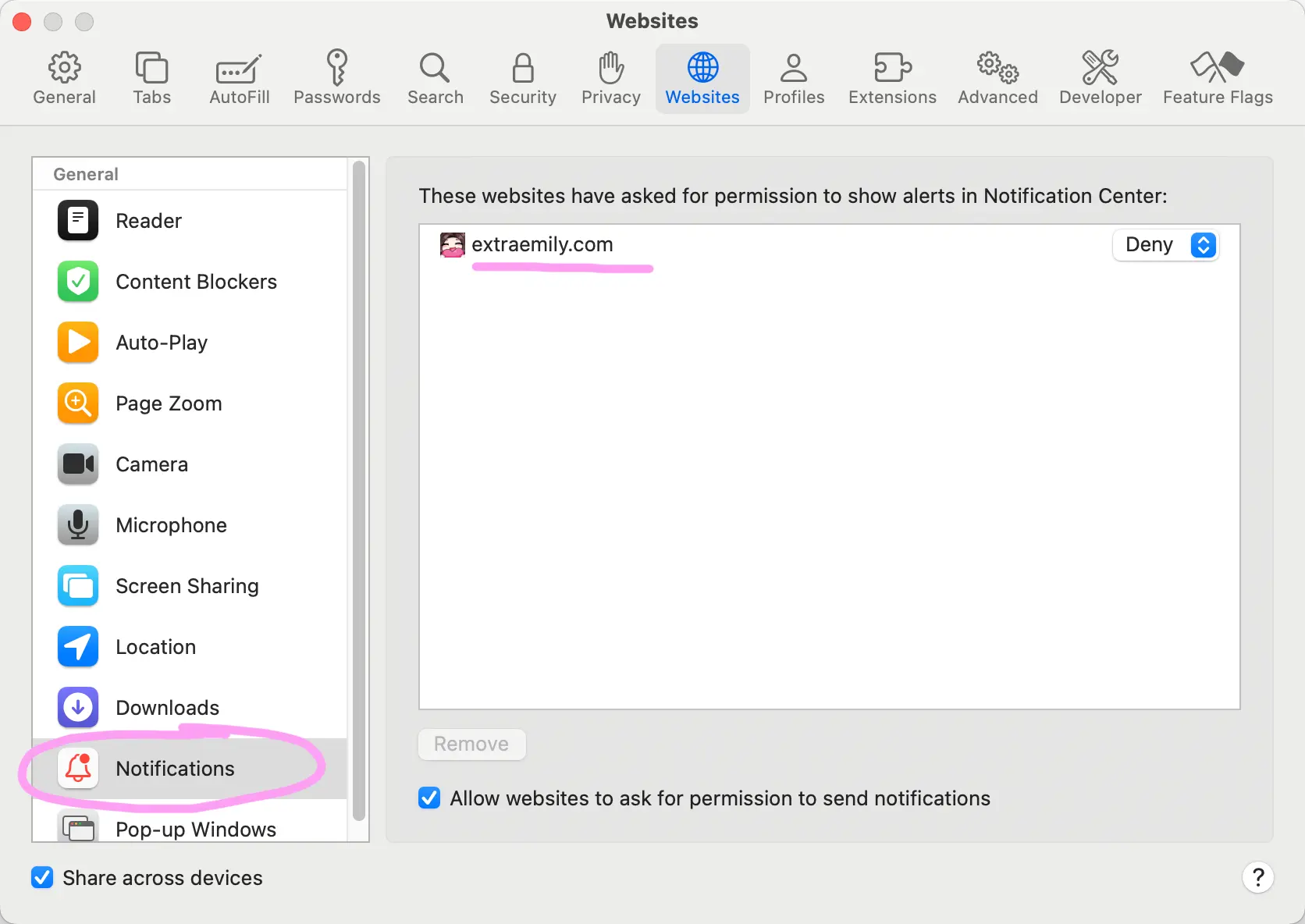
Click on the Websites tab, then select Notifications from the sidebar. Find ExtraEmily in the list.
3
Select Allow
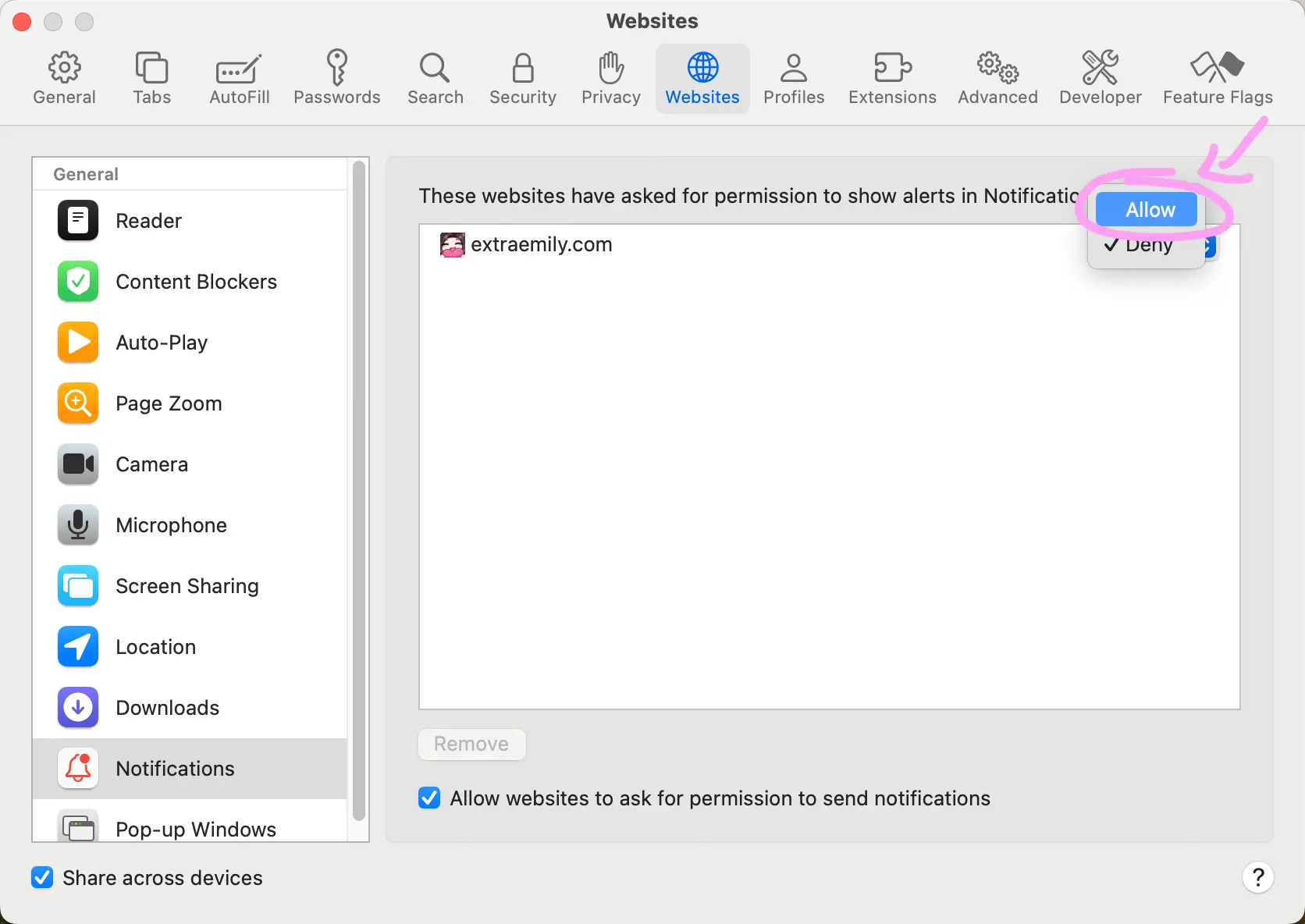
Select Allow from the dropdown menu.
4
Check Settings
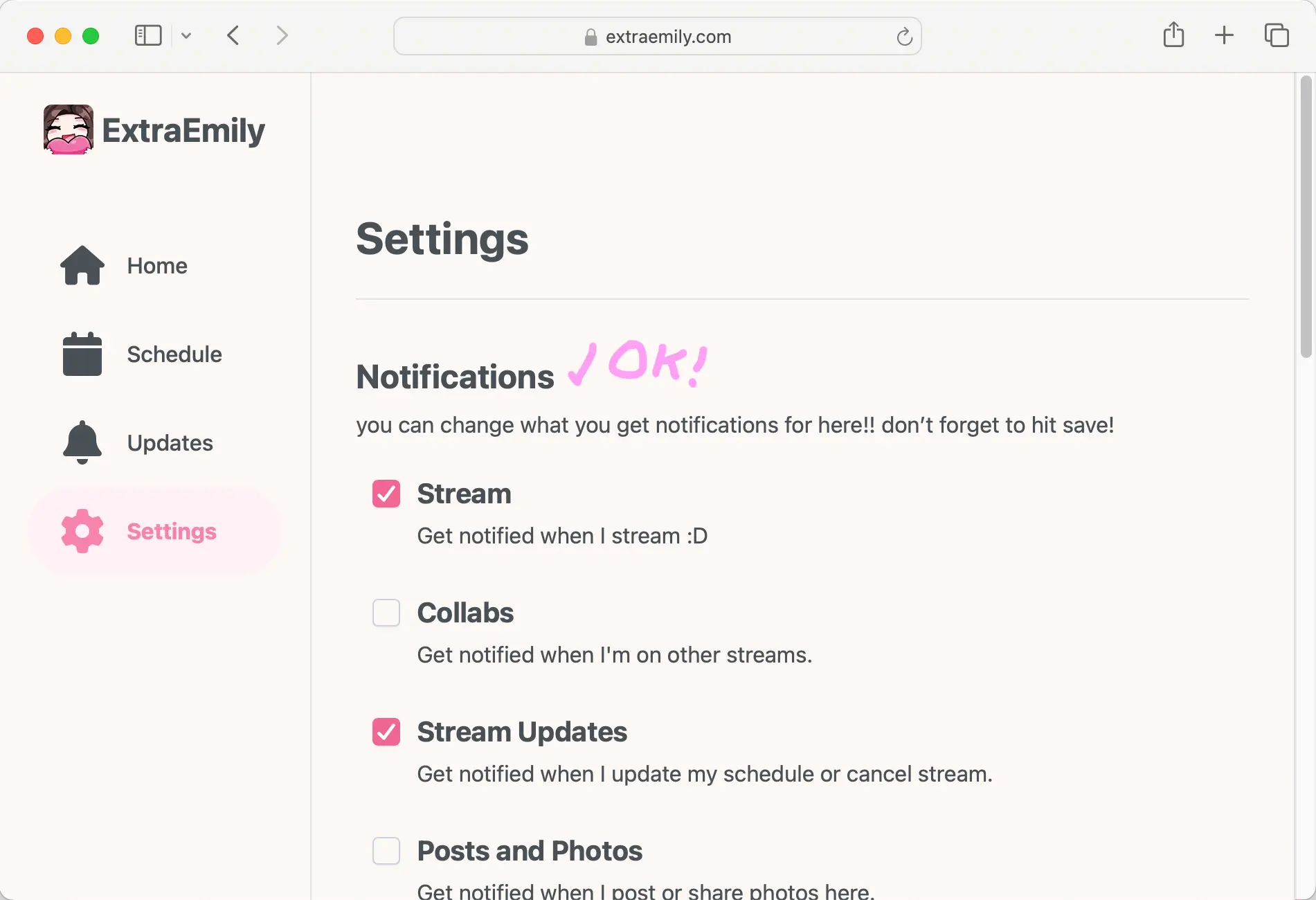
Notifications should now be enabled! If you visit the settings page, you should see the Notifications settings. You can adjust what topics you are subscribed to here.